Contents 7 sections
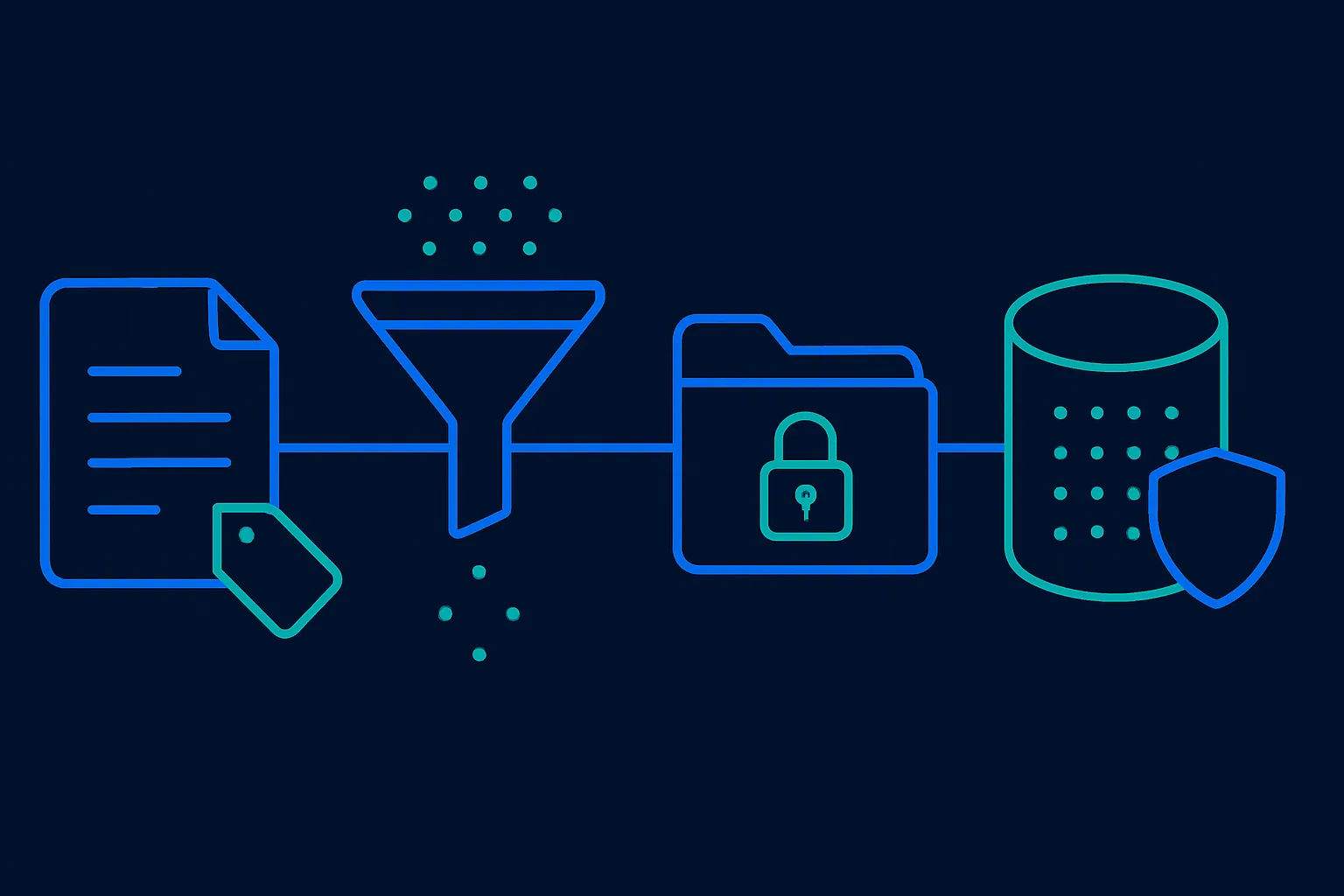
A generative AI assistant has to read company data before it can answer a question about it. That reading creates new places where sensitive data can end up, such as a prompt sent to an outside service or a search index built for the assistant. Securing it comes down to four jobs. This article takes them in order and gives the most space to the fourth.
The scale is measurable. Microsoft's 2026 Data Security Index, published on 29 January 2026, draws on responses from more than 1,700 security leaders. It reports that 32% of the surveyed organisations' data security incidents involve generative AI tools, and that 47% of the organisations are putting in controls aimed at generative AI workloads.
Part one: label what is sensitive
Every later control needs to know which files and messages are sensitive. The usual way to record that is a sensitivity label, a tag attached to a file or email that states how sensitive it is and can also apply encryption. Labelling is often missing. Varonis, a data security vendor, reviewed 1,000 organisations for its 2025 State of Data Security report and found that only one company in ten had labelled files. The figure comes from the vendor's own risk assessments.
In Microsoft 365 a label changes what an assistant may return. Microsoft's Purview guidance for generative AI apps, dated 27 May 2026, says that when a label applies encryption, a user needs the EXTRACT usage right as well as VIEW before an AI app will return the data. The same page recommends turning on sensitivity labels for SharePoint and OneDrive, and says classifiers can find sensitive data in prompts and responses as well as in stored files.
A label is a control that can fail. BleepingComputer reported on 18 February 2026 that a Microsoft service advisory, CW1226324, described Copilot Chat wrongly processing emails that carried a confidential label. The messages were in Sent Items and Drafts, and a fix began rolling out in early February. The advisory is a reason to keep reviewing audit records after labels are in place.
Part two: stop data leaving through prompts and output
Staff paste sensitive material into AI tools, and an assistant can place sensitive material in an answer. On the first, Netskope's Cloud and Threat Report, published on 5 January 2026, recorded an average of 223 generative AI data policy violations a month per organisation across its customers. Source code made up 42% of them and regulated data 32%. The report says only 50% of organisations use data loss prevention tools to limit this exposure.
Much of this activity happens outside the assistant a company has approved. The executive summary of Verizon's 2026 Data Breach Investigations Report, released in May 2026, says 67% of users reach AI services through non-corporate accounts on their corporate devices. It also says 45% of employees are now regular users of AI on those devices, whether the tool is authorised or not, up from 15% a year earlier. A control inside the approved assistant cannot see a personal account in a browser tab, so the device needs a control too.
Microsoft's Purview guidance says Windows computers onboarded to Purview can warn or block users who try to share sensitive information with third-party AI sites in a browser. For Copilot itself, a Microsoft Tech Community post dated 21 April 2026 said that a data loss prevention check on prompts was entering general availability. When a prompt contains a sensitive information type, no response is generated and nothing is sent for web or Microsoft Graph lookups. The same post listed blocking web searches for such prompts as entering public preview, so confirm the status of each feature in your own tenant.
Output controls depend on the platform. As one example, AWS announced general availability of Guardrails for Amazon Bedrock on 23 April 2024, which can redact confidential information in a model's responses as well as filter personal data in what users type.
Prompt filters do not cover instructions hidden in content the assistant reads, known as prompt injection. The CVE record for CVE-2025-32711, published on 11 June 2025, describes command injection in Microsoft 365 Copilot that allowed an unauthorised attacker to disclose information over a network. Microsoft scored it 9.3 out of 10. Our guide to security threats to AI agents covers that class of attack.
Part three: close what is open to everyone
An assistant returns what the person asking is allowed to open. Files shared with the whole company years ago were hard to find by browsing, and an assistant can surface them in an answer. The Varonis report cited above found that 90% of the organisations it reviewed had sensitive files exposed to all employees through Microsoft 365 Copilot, with more than 25,000 sensitive folders open to all employees on average. The OWASP Top 10 for LLM Applications 2026, published in August 2026, says that when broadly shared drives feed an assistant, the model retrieves the data as designed and the fix lies in the data.
Microsoft's page on SharePoint data access governance reports, dated 9 July 2026, describes a site permissions report that identifies sites shared with thousands of users or with the built-in group that contains every internal user. Activity reports show where sharing links were created in the last 28 days. Microsoft suggests running the permissions report quarterly and the activity reports monthly, and lists site access reviews by owners among the remedies.
Reviews take time, and one setting covers the gap. Restricted Content Discovery, on a page dated 11 October 2026, limits discovery of a chosen SharePoint site's content in organisation-wide search and Copilot responses while leaving its permissions unchanged. Microsoft calls it a temporary governance control. It does not support OneDrive, and on a site with more than 500,000 items a change could take more than a week to take effect. Our earlier article on AI agent data access governance covers the identity an agent uses when it reads this content.
Part four: secure the vector store
Custom assistants usually work by retrieval. Documents are cut into passages and each passage is converted into a list of numbers called an embedding, kept in a vector store. When someone asks a question, the system hands the model the passages whose numbers are closest to the question. The store therefore holds a representation of the company's documents, often next to the passage text itself, and it carries the permissions of the original files only if someone builds that in. The OWASP list gives this area its own entry, LLM09:2026, Vector and Embedding Weaknesses.
Authorise before retrieval
The check on who may see a passage has to run inside the search query, because a filter applied after the answer is written cannot take back a passage the model has already been given. OWASP's 2026 text puts it this way: "Cosine similarity does not respect ACLs." Cosine similarity is the closeness measure, and an ACL is the list of who may open a file. OWASP also asks for the check at passage level, because a mostly public document can contain one confidential paragraph.
Microsoft's page on document-level access control in Azure AI Search, dated 8 August 2026, lists four approaches. Security filters, where the application passes the user's identity as a string, are generally available. The three built-in approaches, one of which reads Purview sensitivity labels, are marked preview. For an index of passages, the label has to be copied onto each passage's row in the index, a step the page calls projection: "Without this projection, chunk-level references aren't filtered." It adds that a permission change in the source appears in results only after the next synchronisation.
Embeddings can be turned back into text
It is tempting to treat embeddings as harmless numbers, and published research shows they are recoverable. The paper Text Embeddings Reveal (Almost) As Much As Text, submitted in October 2023, reports a method that recovered 92% of 32-token text inputs exactly from their embeddings, and that recovered full names from a set of clinical notes. The result applies to short passages and the models the authors tested, so read it as proof that recovery is possible. OWASP's vector entry says to treat vector store backups at the same sensitivity level as the source documents and to encrypt embeddings with keys managed apart from the application.
Poisoning
Anyone who can add content to the store can influence answers. The PoisonedRAG paper, first submitted in February 2024, reports a 90% attack success rate after injecting five malicious texts per target question into a knowledge base holding millions of texts. OWASP recommends recording the source and ingestion time of every embedding so that a bad batch can be removed, and reviewing outside content before it enters a sensitive index.
Tenant separation and deletion
Where one store serves several customers or business units, OWASP's vector entry says to enforce the tenant boundary inside the query on the server and to use physically separate indexes for highly sensitive work. It also advises against returning raw similarity scores to clients, because scores can reveal whether a particular document is in the index. Embeddings should be deleted when their source document is deleted. Whether a leaked set of embeddings counts as a reportable breach depends on the law that applies to you. This is general information and not legal advice.
What each part leaves as evidence
The table lists, for each part, the main control and the evidence a reviewer can ask to see. The audit entry rests on Microsoft's Purview guidance, which says prompts and responses are captured in the unified audit log.
| Part | Main control | Evidence it leaves |
|---|---|---|
| Classification | Sensitivity labels, applied automatically where possible and enabled for SharePoint and OneDrive | Label coverage by site and a list of sensitive locations that are still unlabelled |
| Leakage | Data loss prevention on prompts and on pasting into outside AI sites, plus redaction in answers where the platform offers it | Policy match log and audit records of prompts and responses |
| Exposure | Permission reports and access reviews by site owners | Dated report of broadly shared sites and the completed reviews |
| Vector store | Permission check inside the index query and permission data on every passage | Retrieval log of each query with the passages returned, and a backup inventory |
The vector store comes last in this order because it is built from the same files, so an unlabelled or overshared file is carried into it as it stands.
Where QueryNow fits
QueryNow is a Microsoft partner that builds the data foundation enterprise AI runs on, which includes sensitivity labelling, oversharing reviews, prompt and output controls, and permission-aware retrieval for custom assistants. You can talk to our team about your own environment.
QueryNow leads AI transformation for enterprises in the US and Europe. Founded in Germany in 2014, we build the foundation enterprise AI runs on, and the agents that run on it, for pharma, healthcare, manufacturing and financial services organizations on Azure and AWS.
FAQ
Frequently asked questions
What is generative AI data security?
It is the set of controls that keep sensitive company data from being exposed through AI assistants. In practice it covers four jobs: labelling sensitive content, controlling what goes into prompts and comes out in answers, closing files that are shared too widely, and securing the vector store that custom assistants search.
Does a sensitivity label stop Microsoft 365 Copilot from returning a file?
A label that applies encryption does, for users without the right permissions. Microsoft's Purview guidance dated 27 May 2026 says a user needs the EXTRACT usage right as well as VIEW before an AI app returns the data. A label without encryption records sensitivity and lets other policies act on it.
What is a vector store and why does it need its own security?
A vector store holds embeddings, which are lists of numbers that represent passages of your documents so an assistant can find relevant text. It carries the permissions of the source files only if they are built in. Published research has recovered original text from embeddings, so the store and its backups need the same protection as the source files.
Why should authorisation happen before retrieval?
A filter applied after the answer is written cannot take back a passage the model has already been given. The OWASP Top 10 for LLM Applications 2026 advises enforcing the permission check inside the index query, on the server, and at the level of each passage.
Where should a company start?
Start with labels on the most sensitive categories of content, because the leakage rules need them to know what to look for. Then turn on prompt and paste controls, run permission reports to find sites open to everyone, and review any custom assistant's vector store for permission checks and backup handling.
The Monday digest
The three posts worth your time each week, one paragraph each. From the people building production AI.